How to share your booking link
Every team member gets a personal booking page where customers can request time with them directly. Team members share their own, managers can grab any team member’s.
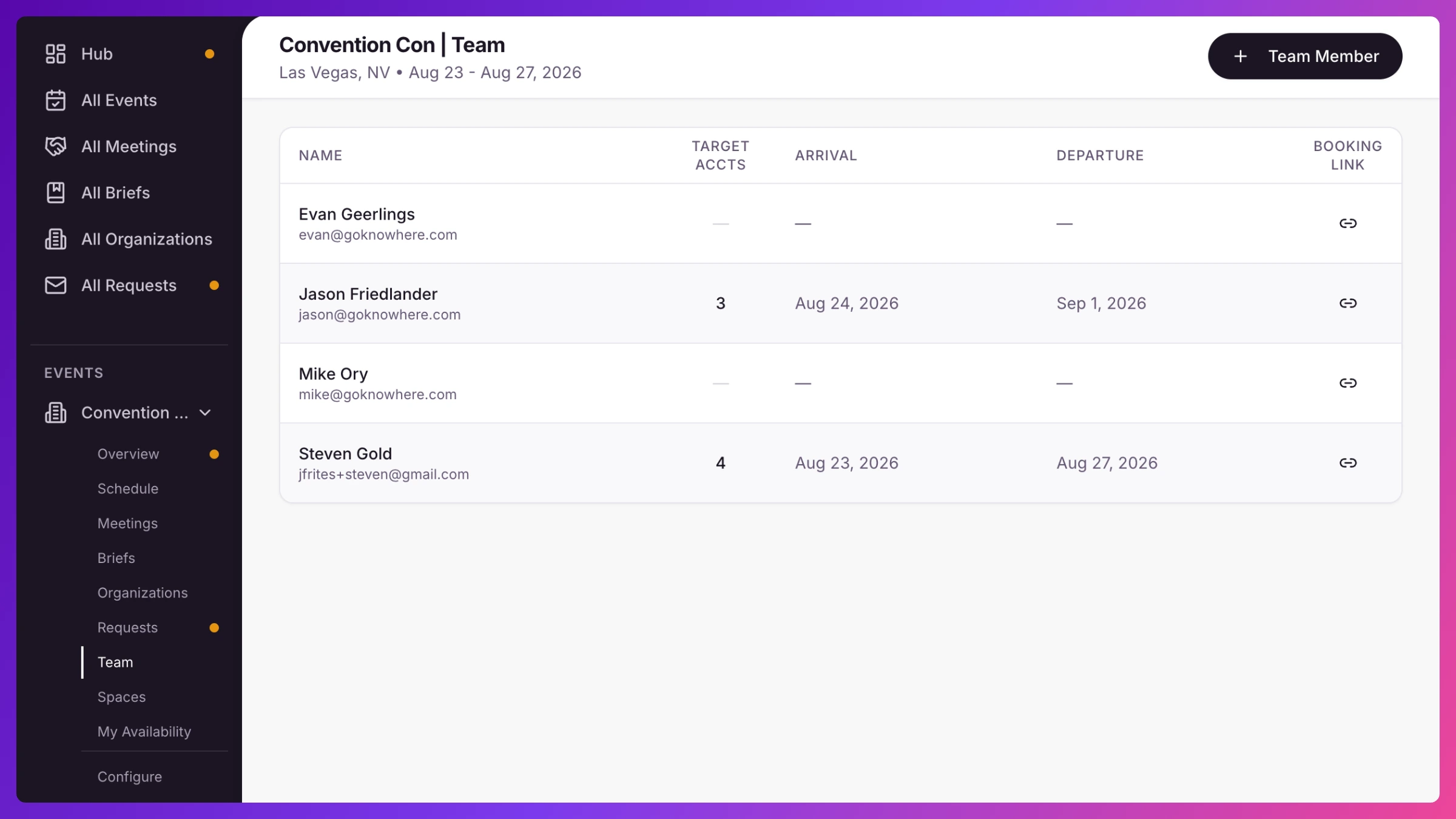
- In the left sidebar, open your event and click the Team tab.
- Find your own row (or, as a manager, the team member’s row).
- In the Booking Link column, click Copy. Your booking URL is now on the clipboard.
- Share it in your email signature, outreach, or a LinkedIn message.
Good to know
Section titled “Good to know”The Booking Link column only shows when public booking is turned on for the event, see Set up public booking. Requests that come in through your link land in the event’s Requests queue for approval. More in Requests & public booking.