Organizations, contacts & targets
Knowhere keeps a living directory of every customer company you meet: who they are, who works there, every meeting you’ve ever had with them, and whether the accounts you care most about are actually getting time at your events.
Who it’s for: managers own the directory, targeting, and coverage. Team members work from their assigned accounts and see the directory read-focused.
Organizations
Section titled “Organizations”An organization is a customer company. They enter your directory two ways:
- Managers add them: name, website domain, notes, an owner, and an optional target tier.
- They appear automatically: when a meeting (or a kiosk walk-in) brings in a customer attendee, that contact is added to your directory and tied to their organization, so your directory grows as a side effect of doing meetings.
Managers can edit, archive, or delete organizations. Every organization row shows its owner, last meeting, meeting count, and contacts.
The organization profile
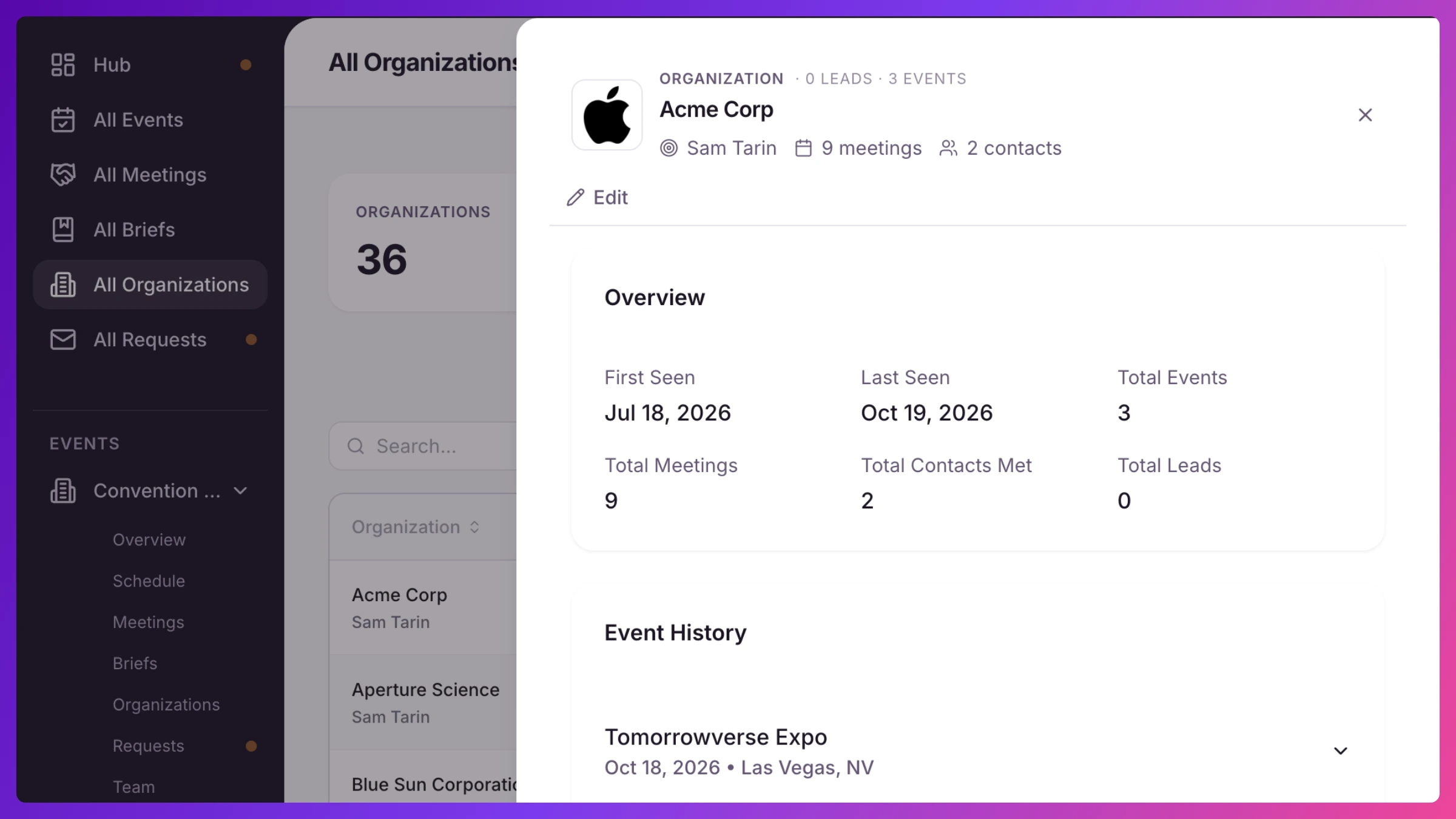
Section titled “The organization profile”Open any organization to see the full relationship in one place: first and last time you met them, totals across events, and an event-by-event history of every meeting with its attendees (and who actually checked in), notes, and Summaries, plus a table of every contact you’ve met from that company.
Contacts
Section titled “Contacts”A contact is a person at an organization. Knowhere tracks their name, email, title, when you first and last saw them, and which events they’ve attended, built up automatically from meeting attendance. Each contact also carries a persona, their seniority level and function, classified automatically from their title and correctable from their detail panel; it’s what powers the executive-engagement numbers in Sales Inference. Star a contact as a lead (from the contacts table, or right on the check-in roster as they walk in) to flag them for follow-up. Lead counts roll up on your dashboards.
Contacts and organizations are visible per event (that event’s slice) and company-wide on Organizations (All Organizations for team members).
Owners
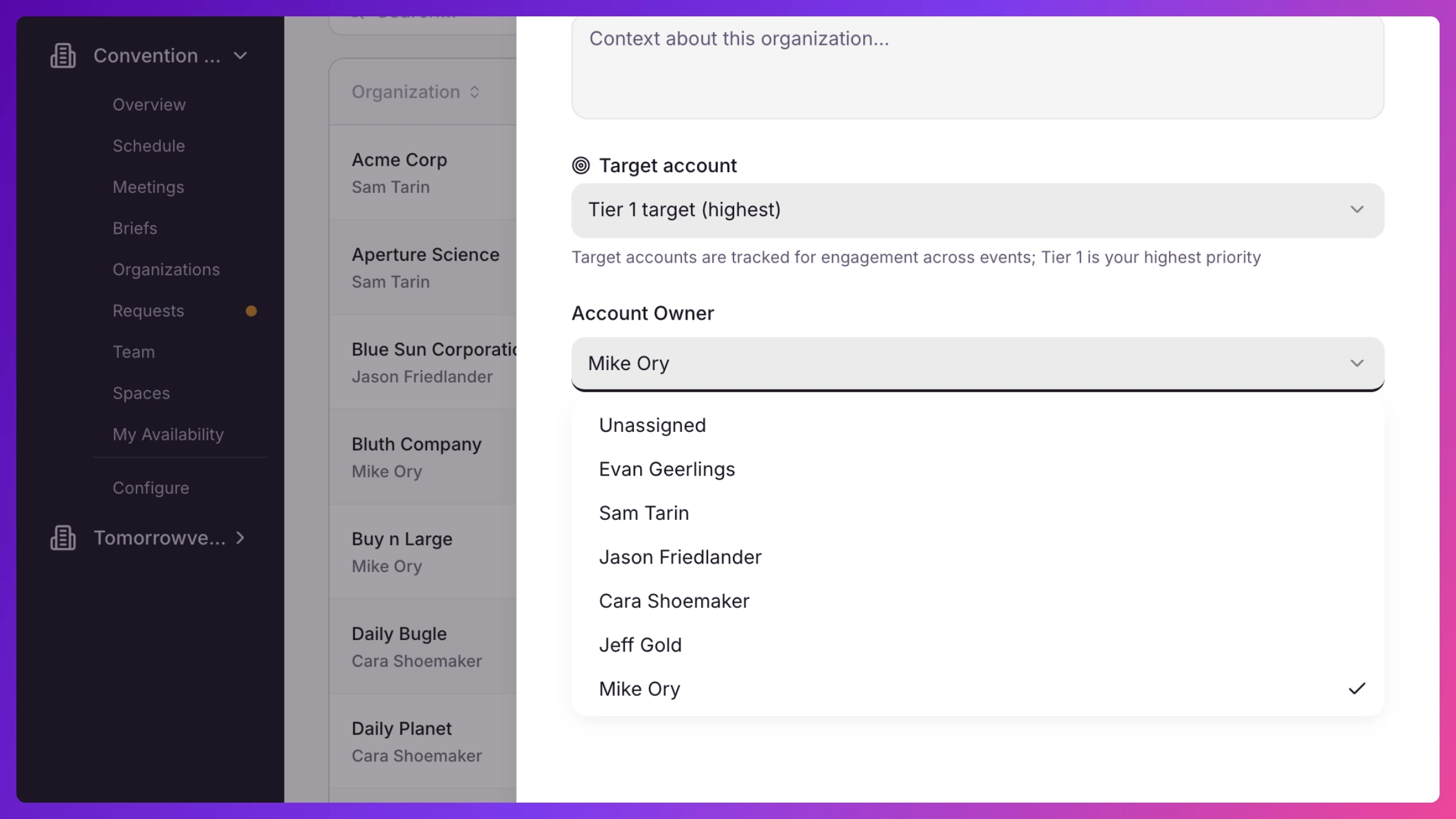
Section titled “Owners”Each organization can have one owner: the team member responsible for the relationship. Ownership is company-wide (not per event) and is assigned by managers, individually or in bulk per team member. Ownership is what drives the rest of this page: owners are who coverage is measured against, and owners are who see and publish the account’s Briefs.
Targets
Section titled “Targets”Mark an organization as a target and Knowhere starts holding you accountable for it. Targets carry a priority tier, Tier 1 (highest) or Tier 2, set when you add or edit the organization. Targeting is company-wide, but each event picks its own target list: during event setup the wizard pre-checks your company targets and lets you adjust them for that event. Coverage is then measured per event, against that event’s list:
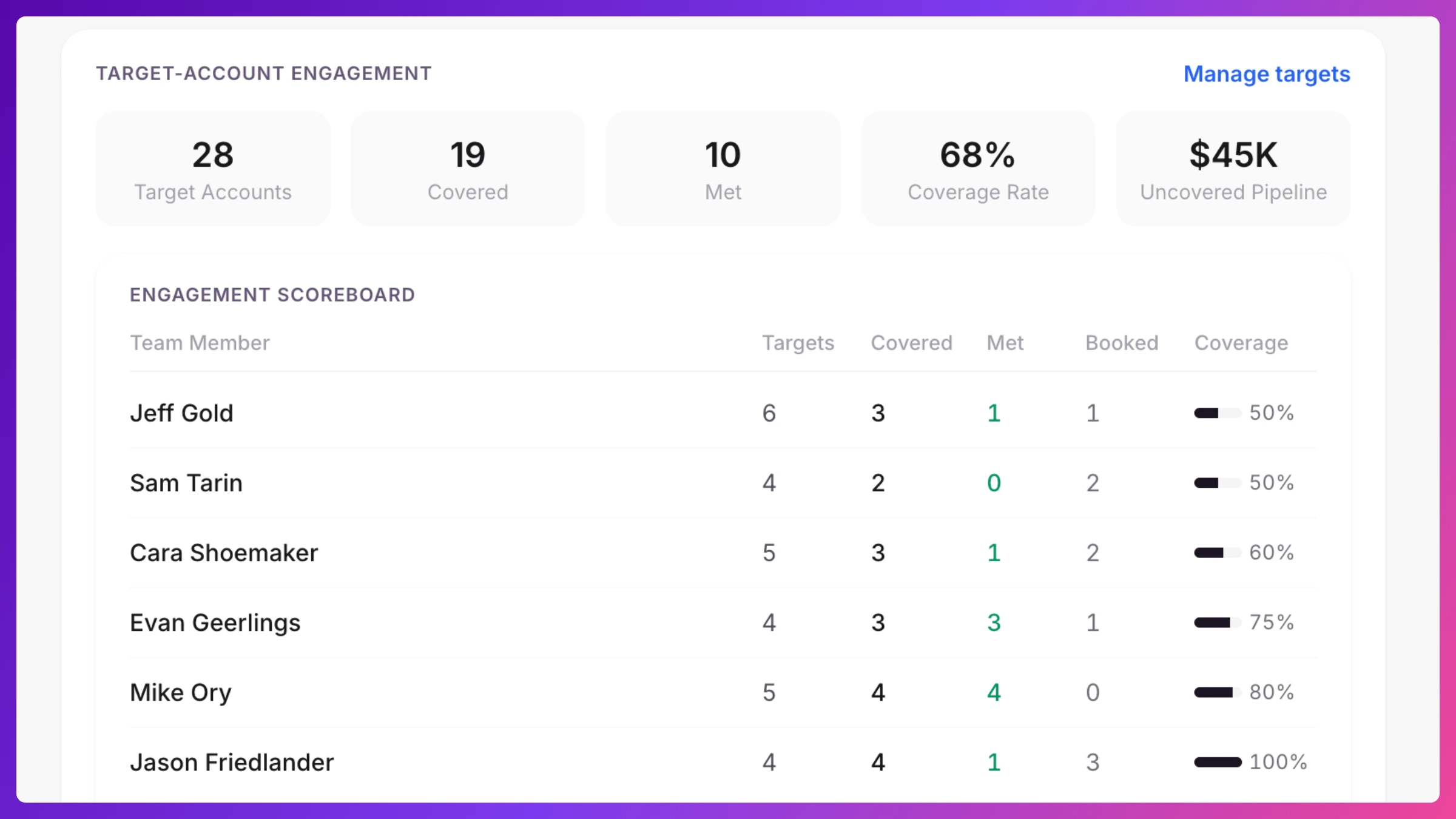
- Engagement Scoreboard: one row per account owner showing how many targets they own, how many are covered (have a meeting at this event), how many they met (meeting checked in), how many they booked themselves, and their coverage percentage, sorted so the team members who need help are at the top. Click a team member to see their target list in detail.
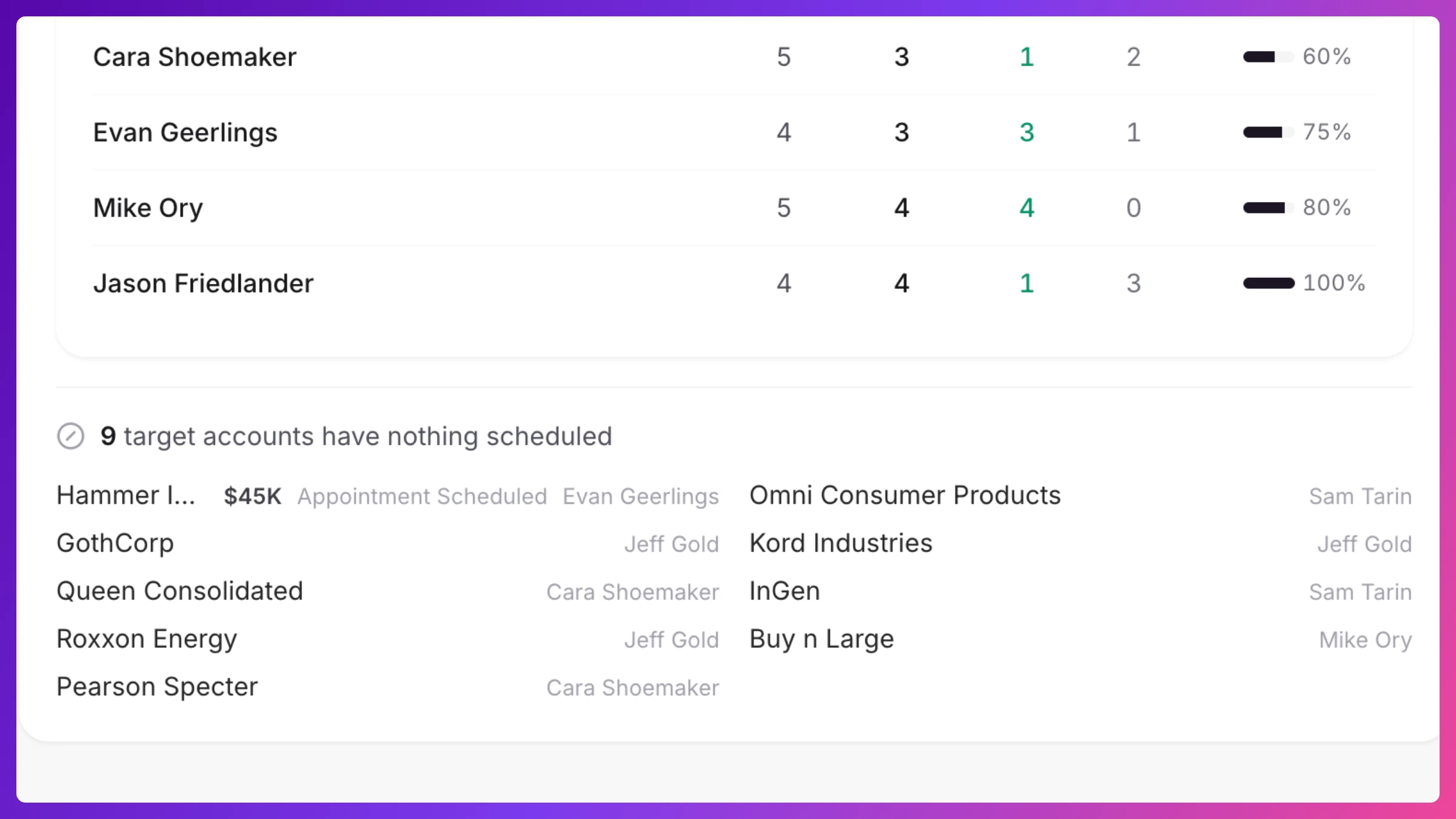
- Unmet targets: the list that matters most before doors open: targets with nothing scheduled, each one click away from its organization profile so you can fix it.
- Coverage-risk alerts: a warning when someone owns targets but isn’t staffed on the event, so accounts don’t silently go uncovered because their owner stayed home.
Team members see their own slice: My targets on their dashboard lists the accounts they own and each one’s engagement at the event.
Tiers earn their keep beyond the scoreboard: Sales Inference uses them to answer a sharper question than “did the account get a meeting”, namely whether your Tier 1 accounts got an executive in the room.
Event ROI
Section titled “Event ROI”Each event carries a manually maintained financial picture: enter your costs (booth, travel, sponsorship) and the revenue you attribute to the event in the event’s Settings (under Budget & revenue), and the Financials tab in Signals shows revenue, cost breakdown, net, and ROI.
CRM connection
Section titled “CRM connection”Knowhere’s account directory is CRM-shaped by design (organizations, contacts, owners, deal fields) but today it stands alone:
- Deal stage, amount, and close date on an account’s Brief are entered manually.
- There is no automatic sync with an external CRM yet. CRM Sync Enterprise is planned as an add-on. Until it ships, treat Knowhere as the system of record for event meetings and move outcomes to your CRM with the Summary’s one-click copy.
How to
Section titled “How to”Step-by-step, with the exact clicks: