Meetings & calendar invites
Meetings are the atom of Knowhere: everything else (schedules, Briefs, coverage, ROI) is built from them. This page covers the full meeting lifecycle and how Knowhere keeps everyone’s calendars in sync.
Who it’s for: everyone. Managers create and edit meetings anywhere. Team members manage their own schedule. Your customers receive the invites without needing an account.
Creating a meeting
Section titled “Creating a meeting”Add a meeting from anywhere: the schedule, a meeting list, a dashboard, or by asking the Know It All to stage one for you. A meeting has:
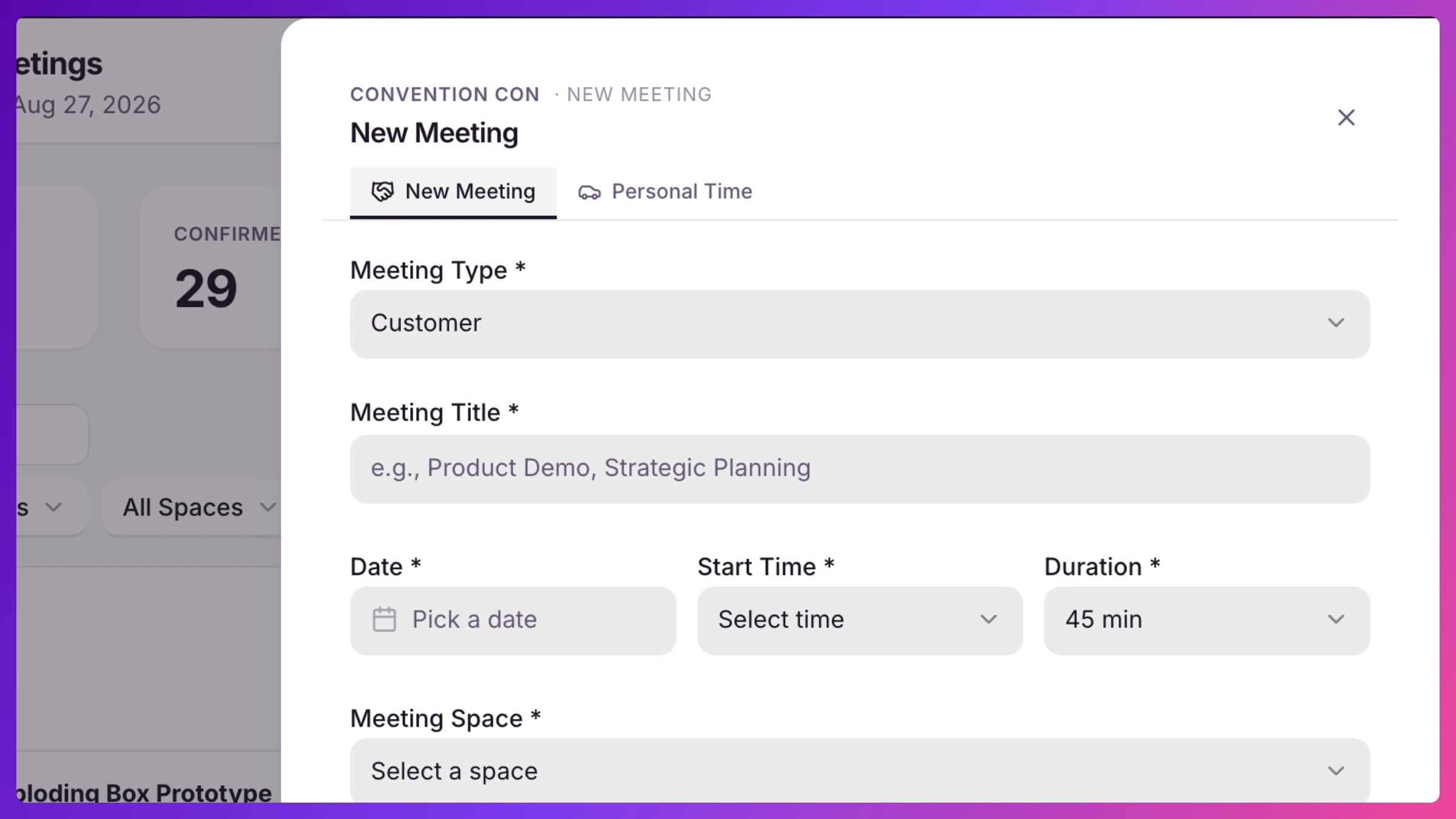
- Basics: title, meeting type (including Demo for station sessions), date, start time, and duration. Picking a type prefills your company’s default duration for that type (set in Settings → Company → Event Defaults). You can always adjust it per meeting.
- A Space: physical or virtual.
- Your team: internal attendees, picked from the event roster.
- The customer side: pick the organization, then the contacts attending. Guests who aren’t in your directory yet can be added with name, title, and email, and they join your directory automatically.
- Notes: context for everyone walking in.
The form checks availability live as you build it and flags conflicts before you save (see Conflict detection).
Repeat across event days
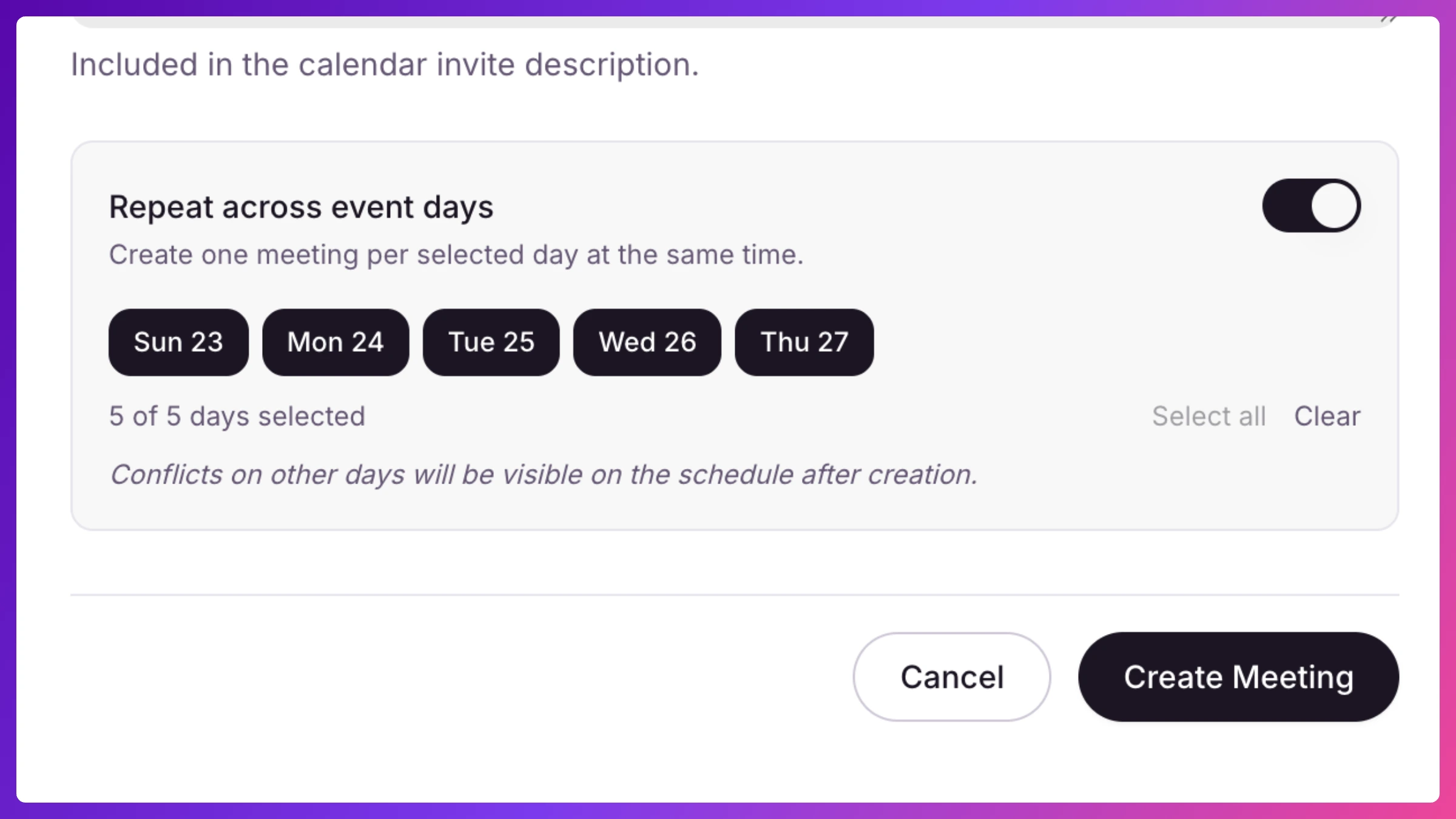
Section titled “Repeat across event days”For the same standing meeting every day of the show, toggle Repeat across event days, pick the days, and Knowhere creates an identical meeting on each one. Each day’s meeting is then managed individually. Editing or deleting one doesn’t touch the others.
Duplicate
Section titled “Duplicate”Any meeting can be duplicated from its action bar. The copy carries over the title, customer and contacts, team attendees, Space, type, duration, and notes. You just pick the new date and time.
Meeting statuses
Section titled “Meeting statuses”- Confirmed: the default. It’s happening.
- Hold: reserved, not announced. A held meeting takes the Space and your team’s time, and the slot disappears from the team member’s personal booking page and any demo-station grid, but nobody gets an email. Flip it to Confirmed and the invites go out.
- Cancelled: the meeting is off but stays on the record. Cancelled meetings drop off the timeline and stop counting against anyone’s availability.
Hold: pencil a meeting in with a Hold. It protects the slot while you wait for the customer to agree and sends nothing until you confirm. A meeting booked over a known clash is simply Confirmed, and the clash shows on the meeting until someone fixes it.
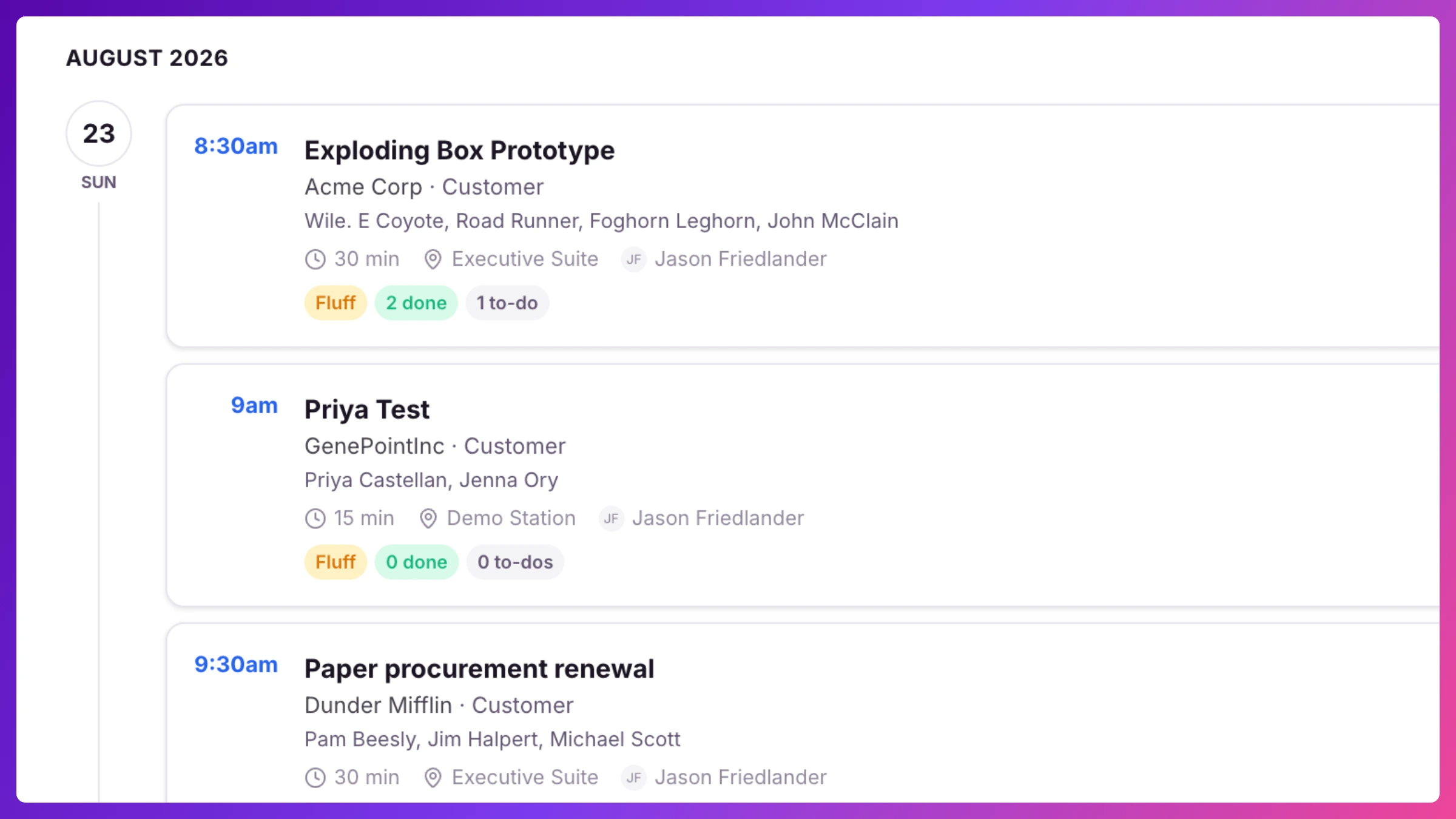
Cancelling vs. deleting: cancel when the meeting was real but isn’t happening. History is preserved. Delete removes it entirely. Either way, if calendar invites already went out, Knowhere asks whether to notify attendees and sends proper cancellations to pull the event off their calendars.
Personal Time
Section titled “Personal Time”Travel, lunch, breaks, or anything else that isn’t a customer meeting goes on the schedule as Personal Time. Pick a category (Travel, Lunch, Break, or Other with a custom label) and a duration. Team members block their own time. Managers can also block time for others. Personal Time protects the slot, scheduling treats the person as busy.
Calendar invites
Section titled “Calendar invites”With calendar sync enabled (Team plan and up, and switchable per event), Knowhere sends real calendar invites by email, compatible with Google Calendar, Outlook, and Apple Calendar:
- On creation: every attendee with an email address gets the invite: your team and the customer side. The organizer follows along on the Knowhere schedule and gets an emailed copy only if they’re an attendee themselves.
- On changes: if the time, place, or details change, attendees get an updated invite with a summary of what changed, and their calendars update in place. If a Space’s location is corrected, Knowhere finds that Space’s upcoming meetings and offers to send them updated invites.
- On cancellation: attendees get a cancellation that removes the event from their calendars.
The email includes the date and time (in the event’s timezone), location, Space, notes, attendee list, and the meeting’s check-in code for the on-site kiosk, with your company’s branding.
Past meetings don’t trigger a fresh email. If you create or edit a meeting whose start time is more than 30 minutes in the past, Knowhere skips sending the invite or update email, there’s no one to notify about something that’s already happened. The meeting itself saves normally either way; only the email is skipped.
RSVP and guest changes
Section titled “RSVP and guest changes”The invite isn’t the end of the conversation. Guests answer, ask for new times, and drop out, and Knowhere tracks all of it without anyone needing an account.
Responding
Section titled “Responding”Every invite carries one-click Accept, Maybe, and Decline buttons that land the guest on a branded confirmation page. From there (or from the invite’s manage link) they can change their response any time. Hitting Accept or Decline inside their own calendar app counts too: Knowhere reads the calendar reply and records it exactly as if they’d clicked the button. Each reply only ever updates the person who sent it; nobody can answer for someone else.
Once a guest accepts or says maybe, the confirmation page also offers Add to your calendar links for Apple, Google, and Outlook, so they can put the meeting on their calendar right there even if they can’t find the original invite email.
One thing that doesn’t work: typing a plain-text reply to the invite email. The invite says so and names the meeting owner, with their real email, for anything that needs a human.
Requesting a different time
Section titled “Requesting a different time”From the manage page, a guest who can’t make the time clicks Request a different time and proposes a new date and start. Nothing moves yet: the meeting stays exactly where it is until a manager approves, because the guest can’t see your team’s schedule. The proposal keeps the meeting’s original length, and it lands in your request queue like any other request (Requests & public booking).
Removing yourself
Section titled “Removing yourself”Declining keeps a guest on the list, they might still change their mind. Actually bowing out is separate: Remove me from this meeting, with an optional reason. Removal is final for that guest, the meeting itself stays on your schedule, and if no outside attendee is left attending, the meeting owner is asked whether to cancel it. Cancelling a meeting is always a human decision, never automatic.
What your team sees
Section titled “What your team sees”Every response, change, and removal reaches the meeting owner two ways:
- Email, one per change: who responded, to which meeting, what they said, and how they replied (the RSVP button or their calendar app). A removal includes the guest’s reason when they gave one.
- Recent activity on Overview: a running feed entry for every accept, decline, and removal, linked to the meeting.
Ask the Know It All (“who’s confirmed for the 2pm with Acme?”) to check where a guest list stands at any moment.
Meetings imported from email
Section titled “Meetings imported from email”Some meetings live outside Knowhere but still cost you the time slot. Forward any calendar invite from your inbox to add@cal.goknowhere.com. An invite Knowhere can match to exactly one of your events lands on that event’s schedule as a read-only imported meeting: greyed out, tagged External, clearly marked as imported, and inert, no invites, no RSVP, no new contacts in your directory.
When Knowhere can’t tell which event the invite belongs to, the time is blocked as busy on your availability immediately, and the invite waits in Imports to review, as a row in Requests, where a manager assigns it to an event (putting it on that schedule as your meeting) or discards it. Your Settings page shows your forwarding address with copy-paste instructions.
How to
Section titled “How to”Step-by-step, with the exact clicks:
- Schedule a meeting
- Edit, cancel, or delete a meeting
- Hold a meeting slot
- Add Personal Time
- Respond to an invite (for your guests)
- Request a new time (for your guests)
- Review imported meetings