During the show
On event days the enemy is chaos: two team members in the same room, a walk-up nobody greets, a team member who can’t remember where the badge desk is. Knowhere runs the floor off one live source of truth so everyone, managers and team members, is looking at the same schedule, the same queue, and the same logistics, updating in real time.
Everything here is available on every plan unless a badge says otherwise.
Run the live schedule
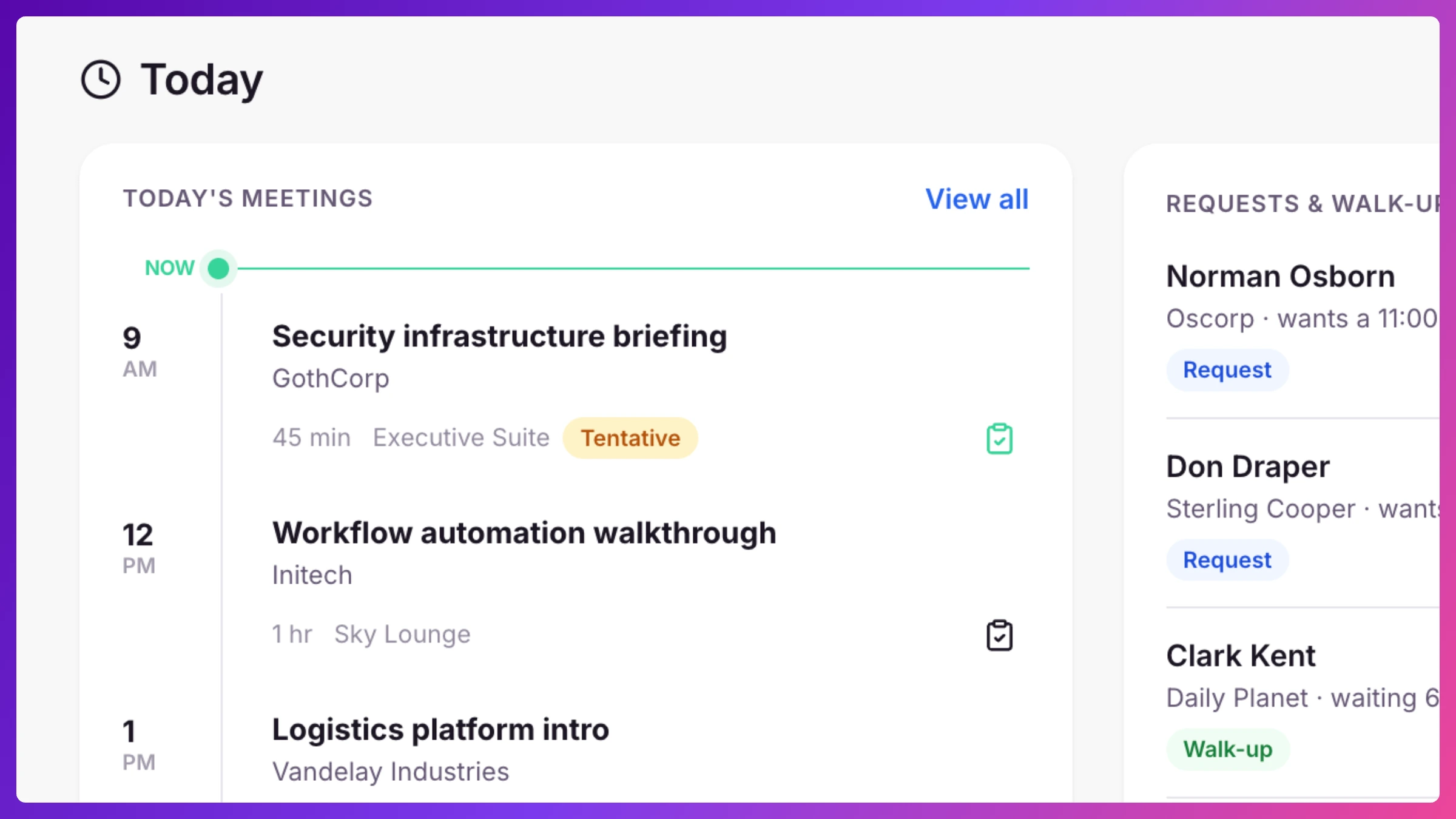
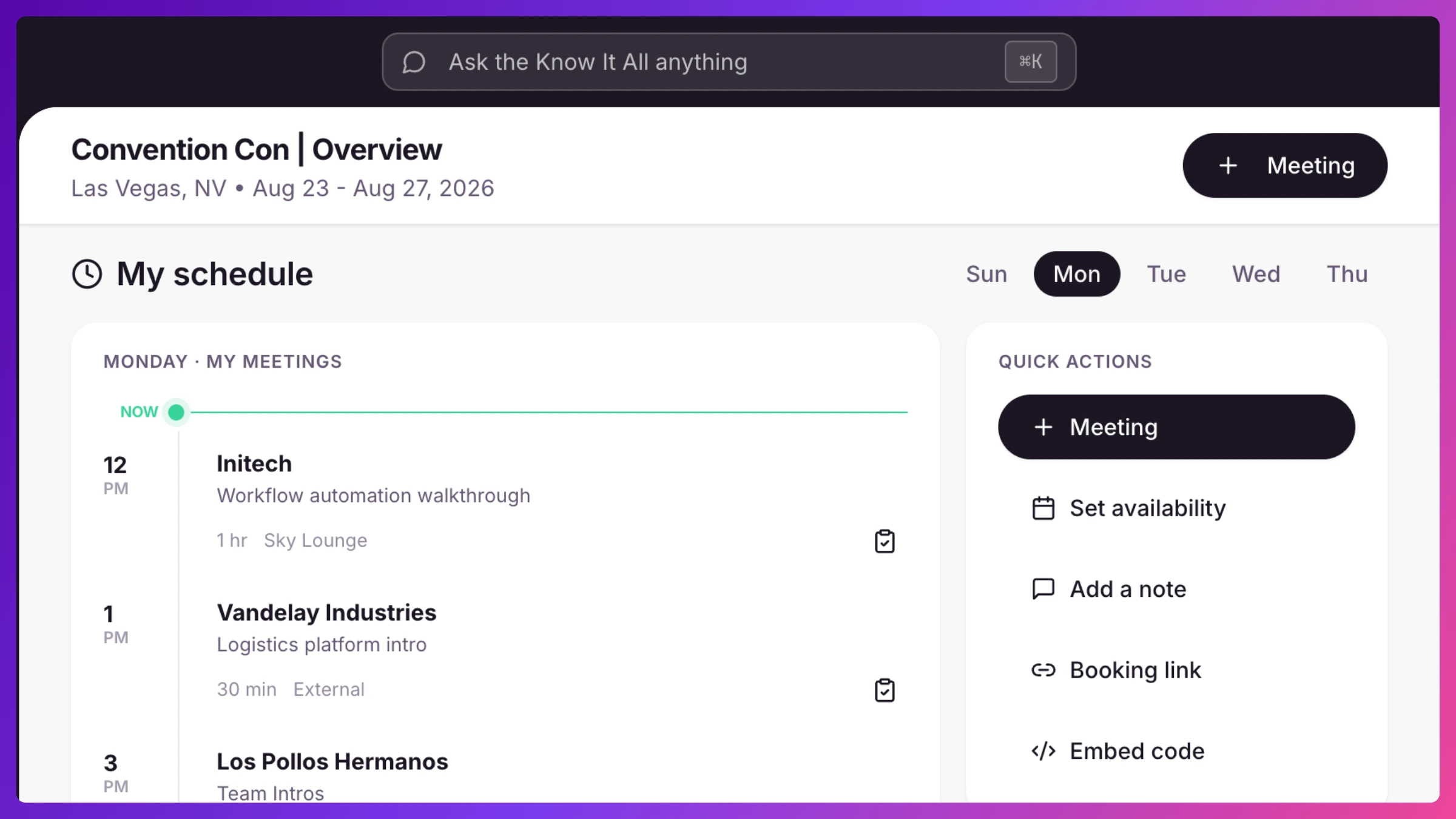
Section titled “Run the live schedule”The Schedule lays out every meeting across Spaces and time with a “now” line and a day scrubber, and conflict detection flags a double-booked team member or Space before it becomes a problem at the booth. Create and edit meetings from anywhere. Changes push updated calendar invites automatically. Penciling in a slot the customer hasn’t agreed to yet? Save it as a Hold: the time is protected, on the schedule, in conflict checks, and on the team member’s personal booking page, and nothing is emailed until you confirm. See Meetings & calendar invites and Conflicts & availability.
Check people in, capture walk-ins
Section titled “Check people in, capture walk-ins”Put the kiosk on a tablet at your booth so attendees check themselves in with the six-character code from their invite, and unexpected visitors register as walk-ins instead of being lost. Your team can also check people in right from the meeting. See Check-in & the kiosk.
Work the live queue
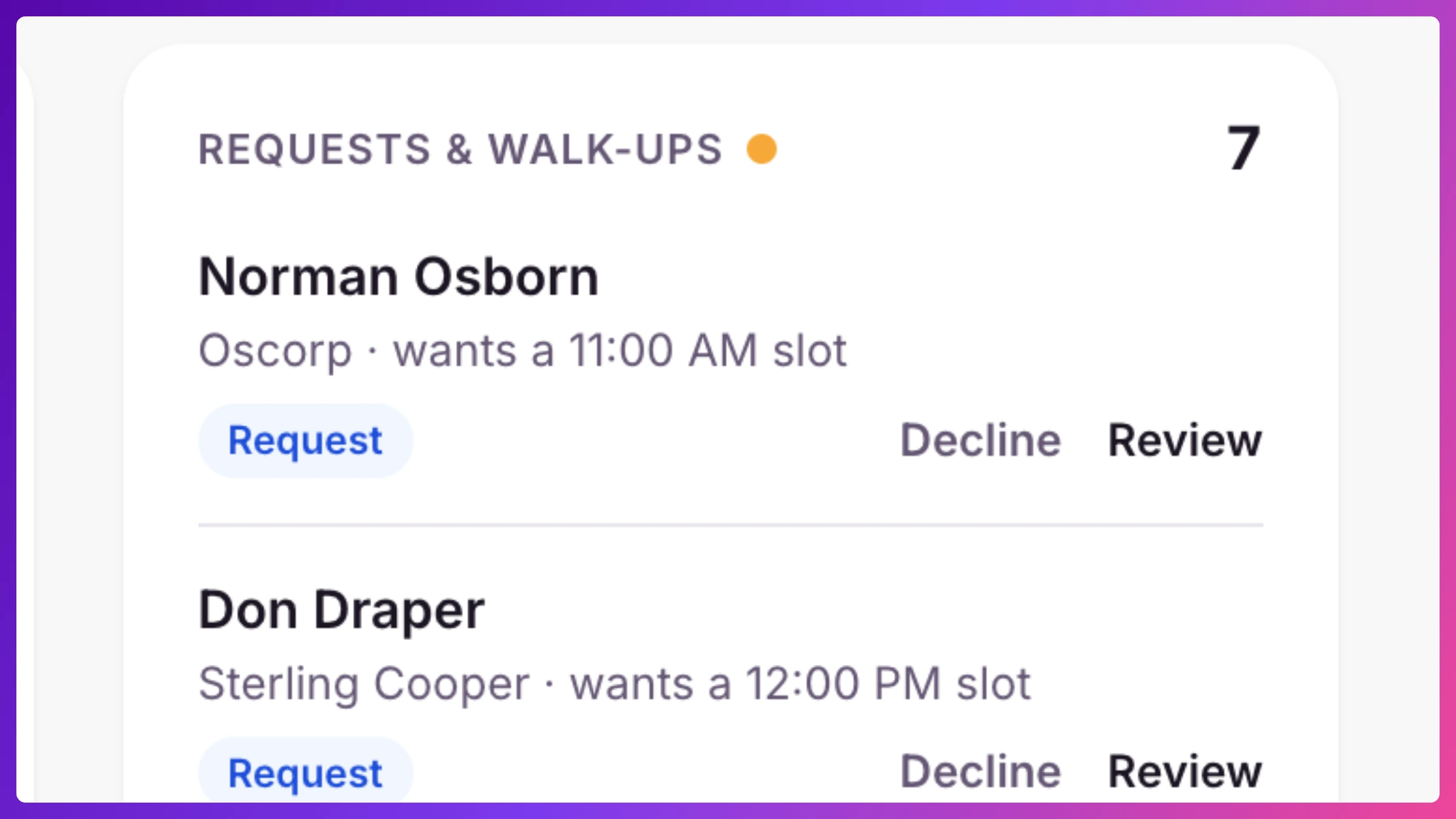
Section titled “Work the live queue”The Live now card on Overview is the floor’s pulse: it counts walk-ups waiting and people checked in, and fresh booking requests and kiosk walk-ups stream in live, each with a one-click action to review, attach, or check in. If you turned on auto-confirm for demo stations, those bookings become confirmed meetings on the spot. See Requests & public booking.
Right beside it, Recent Activity is where changes land as they happen: a guest accepts or declines, a request gets approved, a note gets written, a walk-in checks in. Each entry links to the meeting behind it, and the meeting owner gets RSVP news by email too, so nothing depends on watching the screen.
Keep the team briefed
Section titled “Keep the team briefed”Every team member’s event view is a live day-of briefing, so nobody’s texting “where do I pick up my badge?”
- A countdown and status badge (starts in, live now, ended) that updates on its own.
- Announcements, the latest news from you, posted from the event’s Settings under Team info with a title and optional body, pinned when it matters, and pushed to every team member’s screen within seconds. Managers post, edit, pin, and delete. Team members read.
- Logistics cards, the practical stuff, badge pickup, wifi, booth number, parking, hotel, shuttle routes, the daily schedule, and collateral links, each with its own fields and arranged how you like. Team members tap a card for the full detail.
Announcements and logistics update in real time as you change them.
Ask instead of hunting
Section titled “Ask instead of hunting”Instead of scrolling the schedule, ask Know It All: “who’s free at 2pm?”, “any conflicts Thursday?”, “is there an open Space?” It answers instantly and links you to the screen. Answers cover the current event on every plan. Asking across all your events at once is coming soon. See Know It All.
Next: After the show.