Check-in, walk-ins & the kiosk
Scheduling gets people to the room. Check-in records what actually happened there. Knowhere tracks attendance two ways, a self-service kiosk at your booth and a check-in view inside every meeting, and turns the result into attendance records, lead flags, and follow-up lists.
The kiosk
Section titled “The kiosk”Who it’s for: event attendees, at your booth or meeting-room entrance.
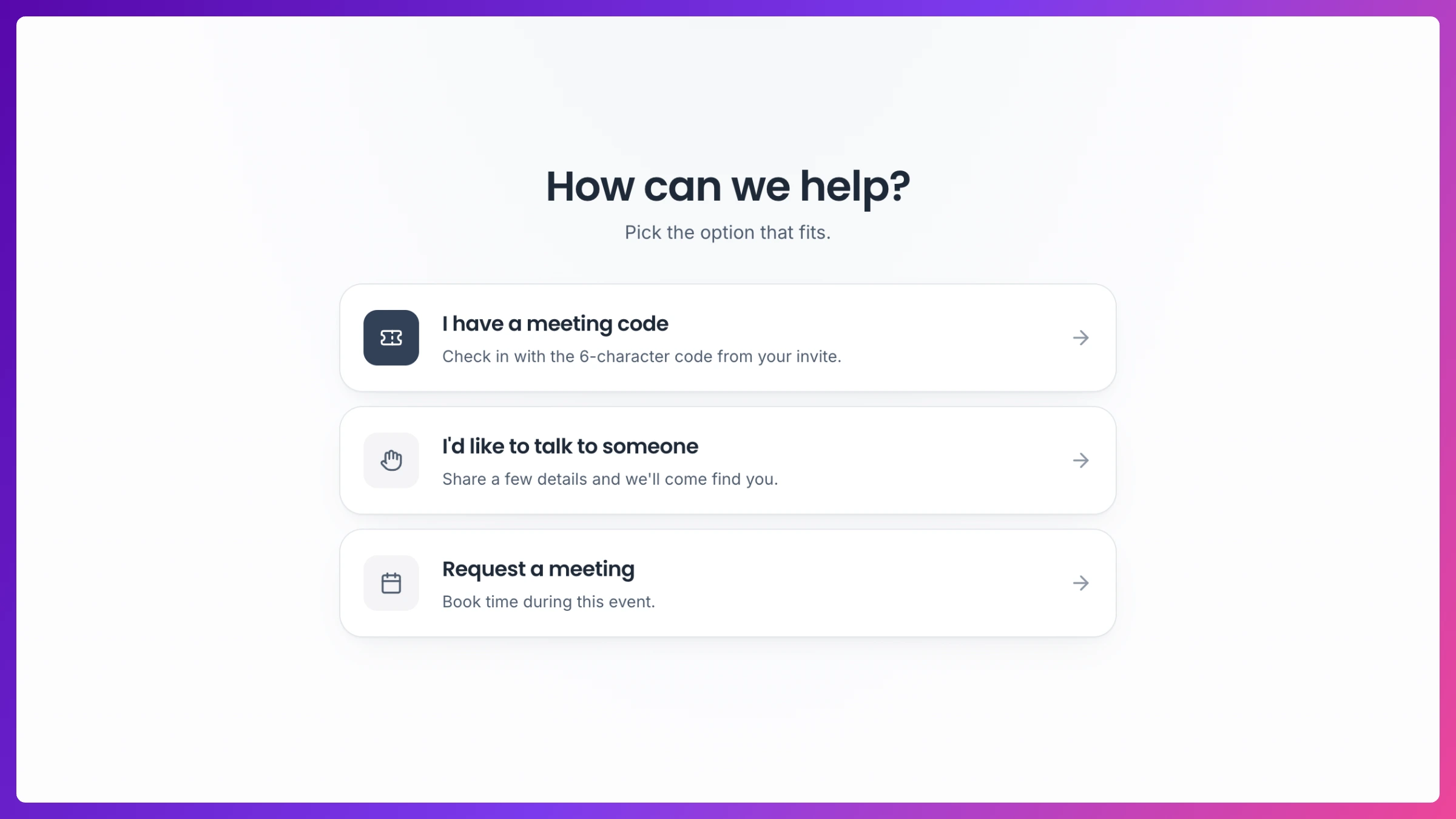
The kiosk is a separate, event-branded screen opened from a per-event link. Put it on a tablet at the booth. It’s enabled and customized (welcome text, calls to action) in the event’s Settings under Booking & check-in. Attendees get three choices:
- Check in: enter the six-character check-in code from the calendar invite, pick their name from the meeting’s roster, confirm, done.
- I’d like to talk to someone: an unexpected visitor registers as a walk-in and joins the live queue, so someone on your team greets them instead of losing them.
- Request a meeting: an ad-hoc request that lands in the event’s request queue.
Look up or send a check-in code
Section titled “Look up or send a check-in code”Who it’s for: managers.
Click the ticket icon in the Schedule or Meetings page header to open Check-in codes: every meeting for the event, searchable by company, each with its six-character check-in code. From there you can:
- Copy the code to paste anywhere.
- Send to kiosk: push the code straight to the kiosk screen at your booth. It fills in and confirms the code automatically, so the attendee just picks their name, no typing required.
The live queue
Section titled “The live queue”Who it’s for: managers, on event day.
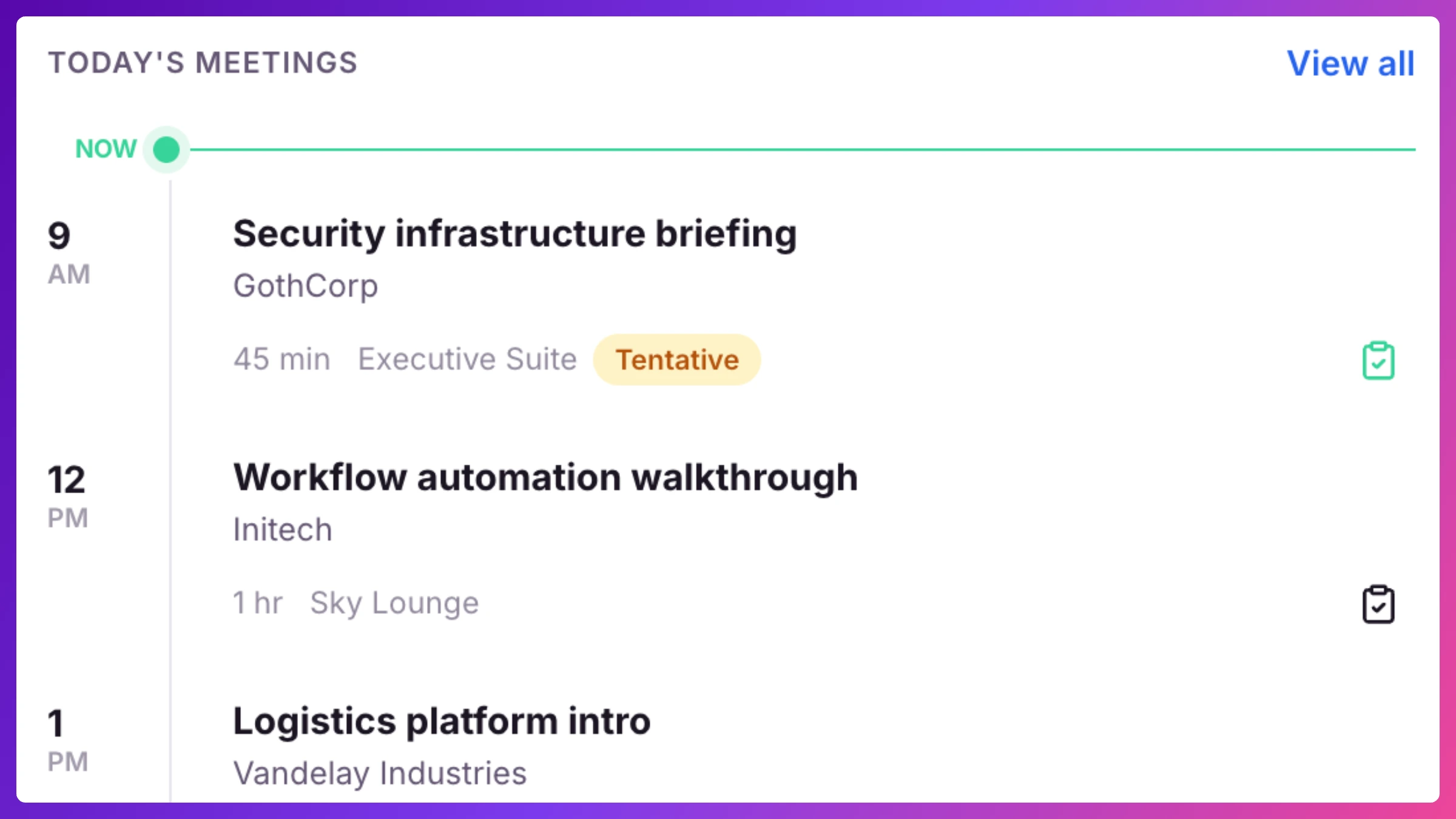
The Live now card on Overview is the floor’s pulse: kiosk walk-ups (with how long they’ve been waiting) and fresh booking requests stream in live, each with a one-click action: check a walk-up into their meeting, attach them to one, or review the request. An attention dot flags waiting walk-ups. A walk-up you don’t need to act on can be Dismissed from its row’s menu, it drops off the queue right away.
Check-in on the meeting
Section titled “Check-in on the meeting”Who it’s for: managers and the team in the room.
Every meeting sheet’s People card carries the full roster, customer side and team side. Before the meeting day it shows RSVPs; from the day of the meeting on, each row’s status becomes a check-in control. From it you can:
- Mark attendance per person (one tap on Check in), or use Check in all to mark everyone at once.
- Mark a lead: flag a customer contact for follow-up right as you shake hands. Lead counts roll up to Overview, Signals, and the contact directory.
- Add a walk-in: someone joined who wasn’t on the list. Add them on the spot. They’re checked in immediately and added to your contact directory automatically.
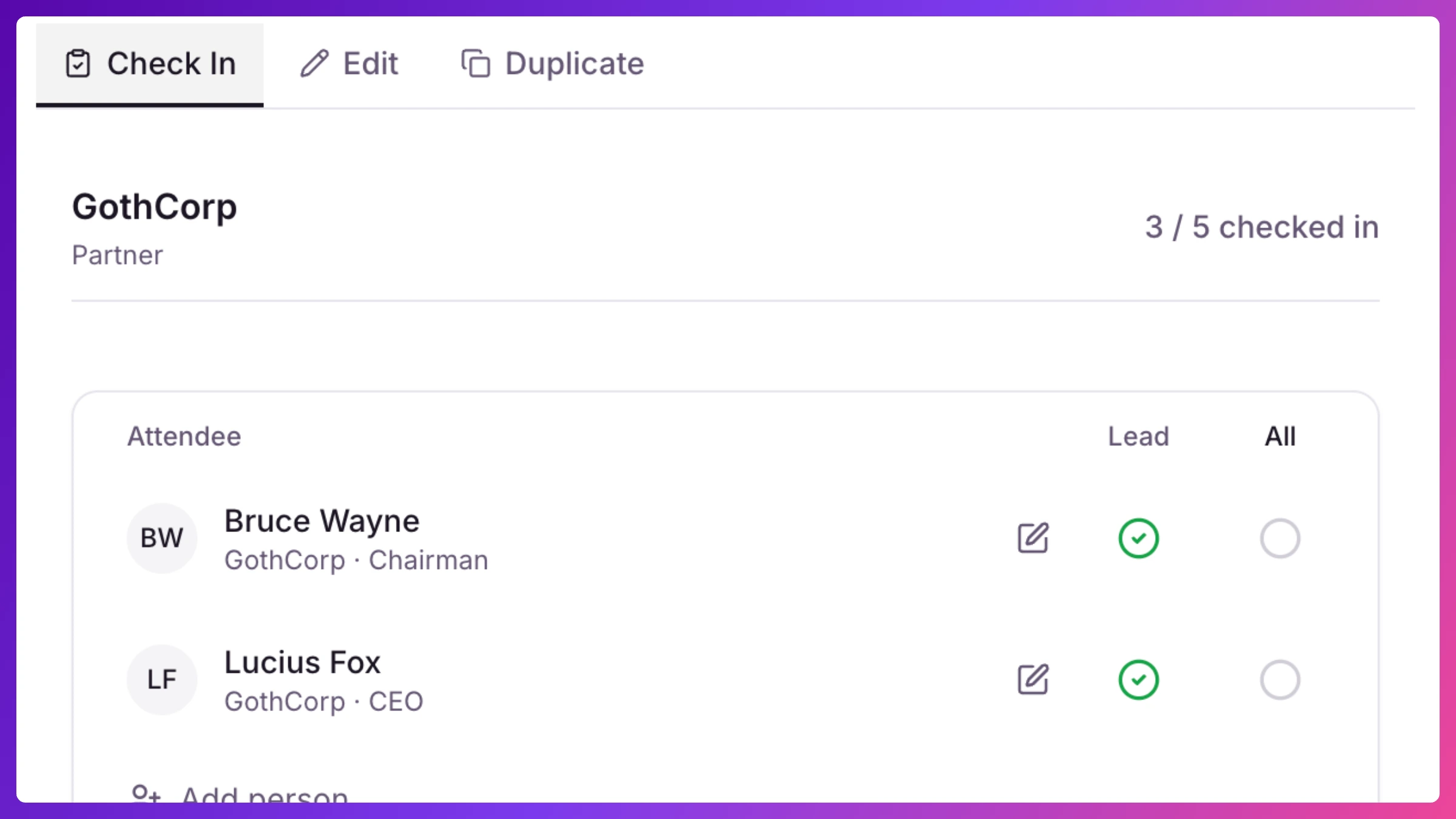
When every expected attendee is checked in, the meeting’s check-in completes automatically and Knowhere records the attendance summary: how many attended, who was internal vs. customer, walk-ins (attended without being expected), and no-shows (expected but never arrived).
After the event
Section titled “After the event”Attendance is where the follow-up list comes from: the Follow-ups tab of your Overview inbox and the Follow-ups tab in Signals surface the loose ends, including meetings still missing a Summary, and every check-in becomes part of the account’s history, so next event’s Brief knows who actually showed up last time.
Check-ins also feed Sales Inference: an expected executive who never checked in, or a customer VP who walked up unannounced at a target, gets flagged in your Overview’s Needs you inbox so somebody finds out why.
How to
Section titled “How to”Step-by-step, with the exact clicks: